Case Study

Crest Personal Finance

A simpler way to track, understand, and control your money.

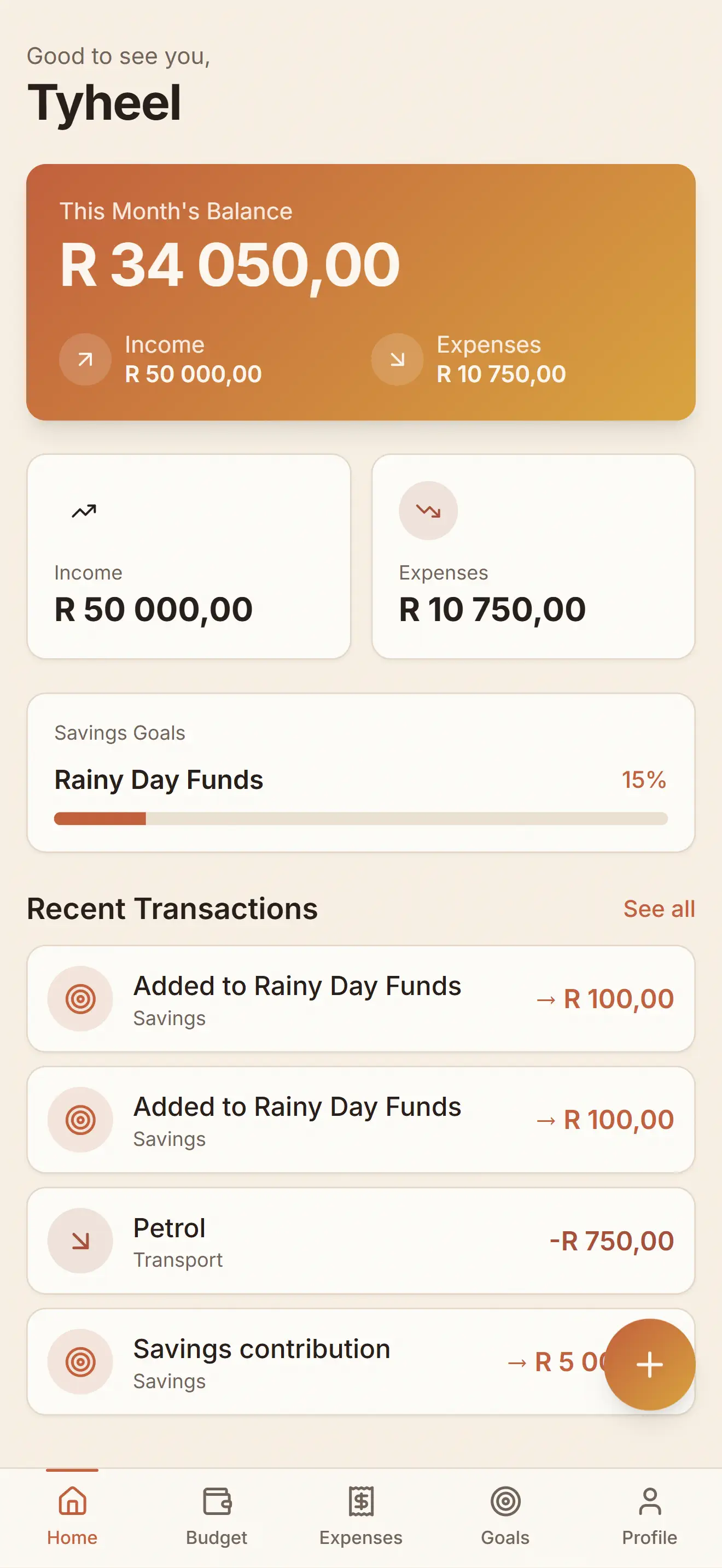
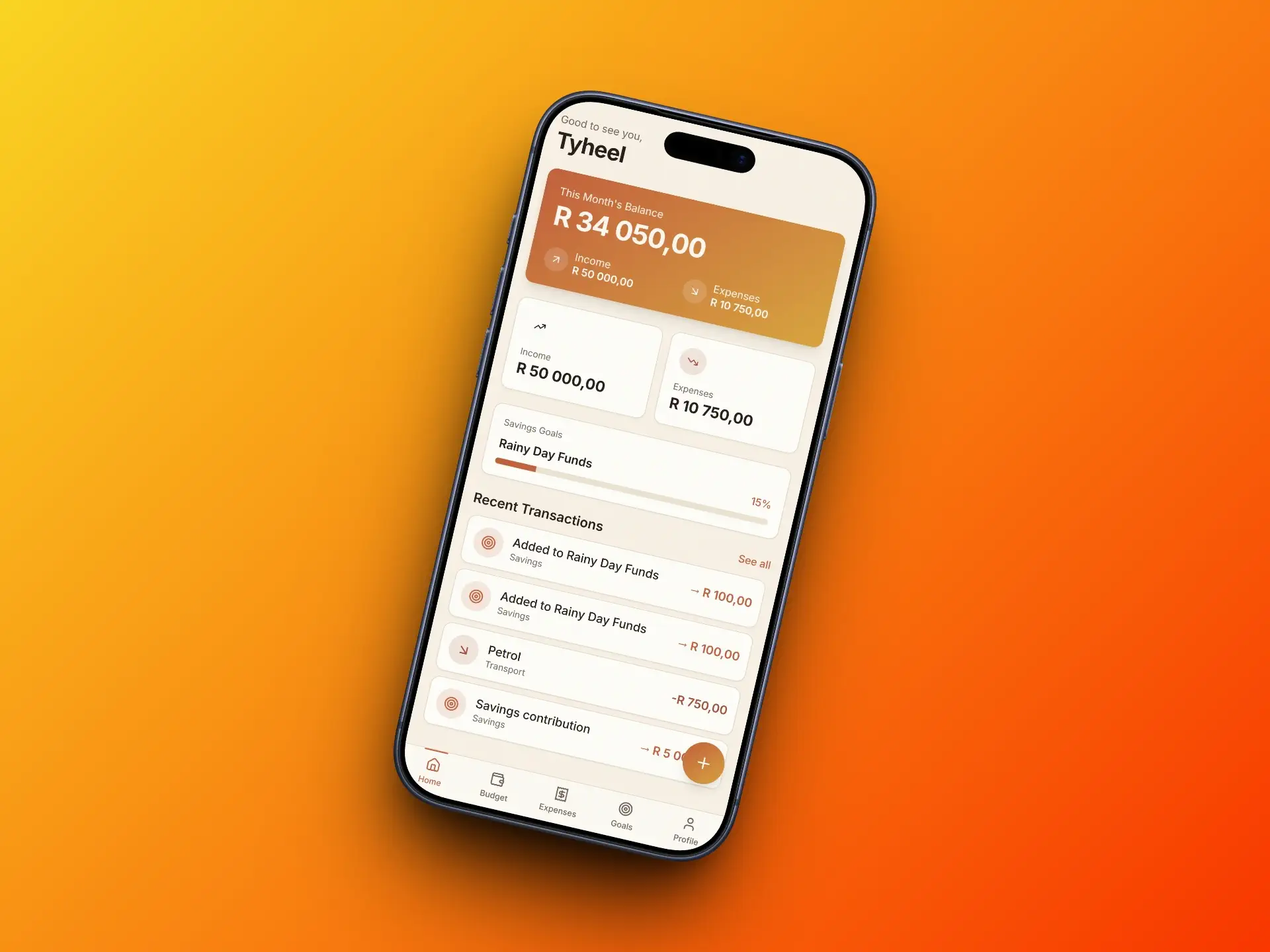
Crest app dashboard screen showing account balance and recent transactions

A personal finance app designed to help users track expenses, stay within budget, and build better spending habits.

Role
UX Designer
Project Type
Mobile App
Year
2026

Introduction

Crest is a personal finance app designed for people who want to understand their spending without the complexity of traditional budgeting tools.


It targets young professionals and everyday users who need clarity, not spreadsheets. The goal was to build something you'd actually open every day.

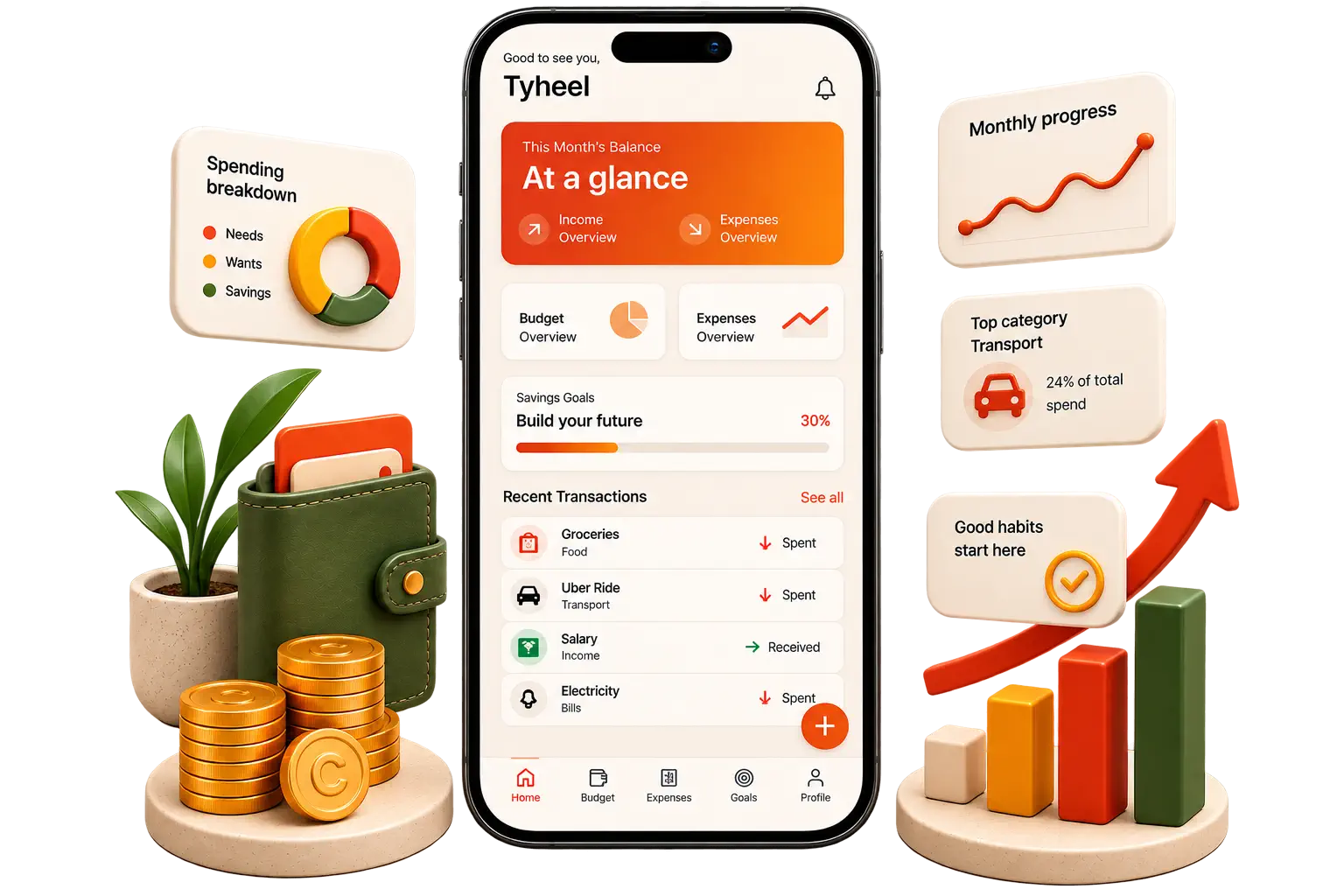
Crest dashboard screen
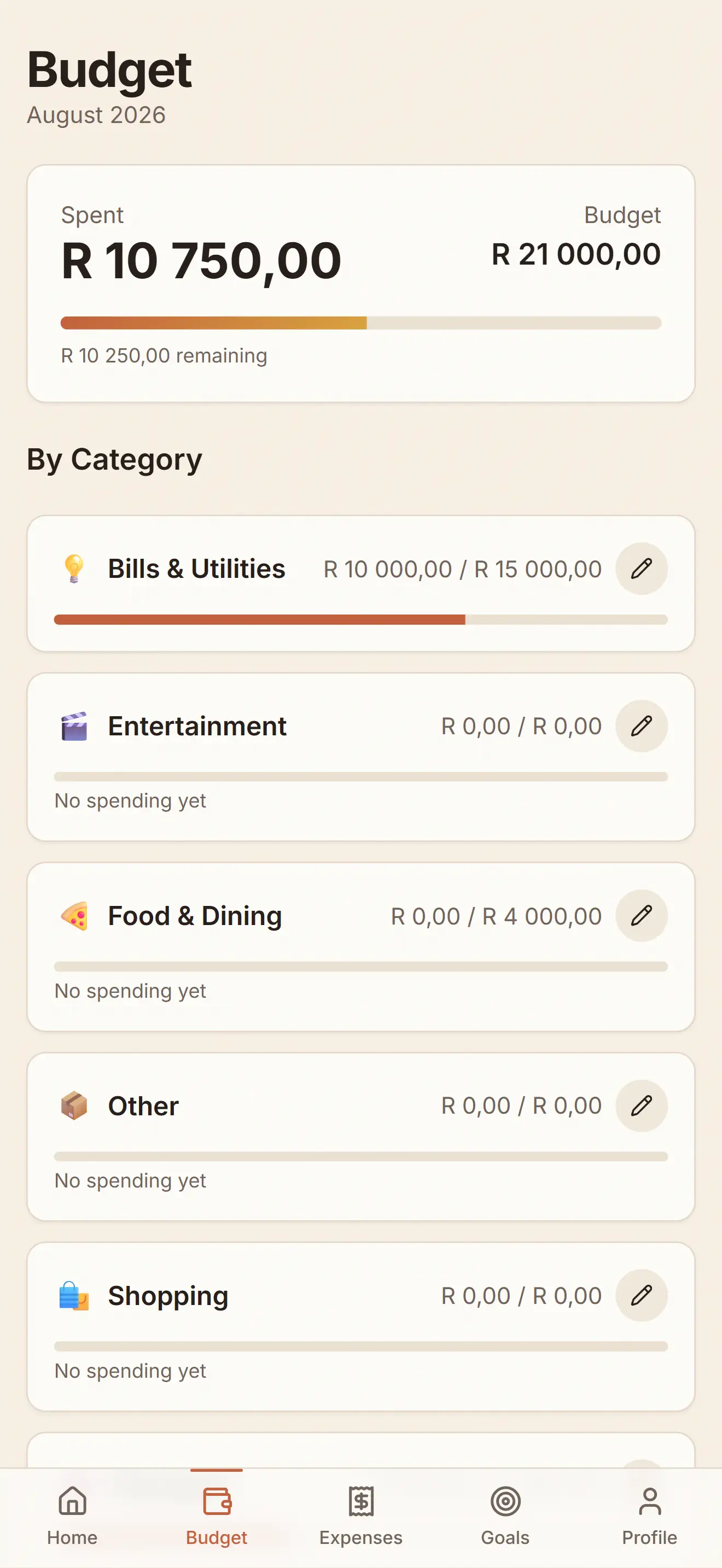
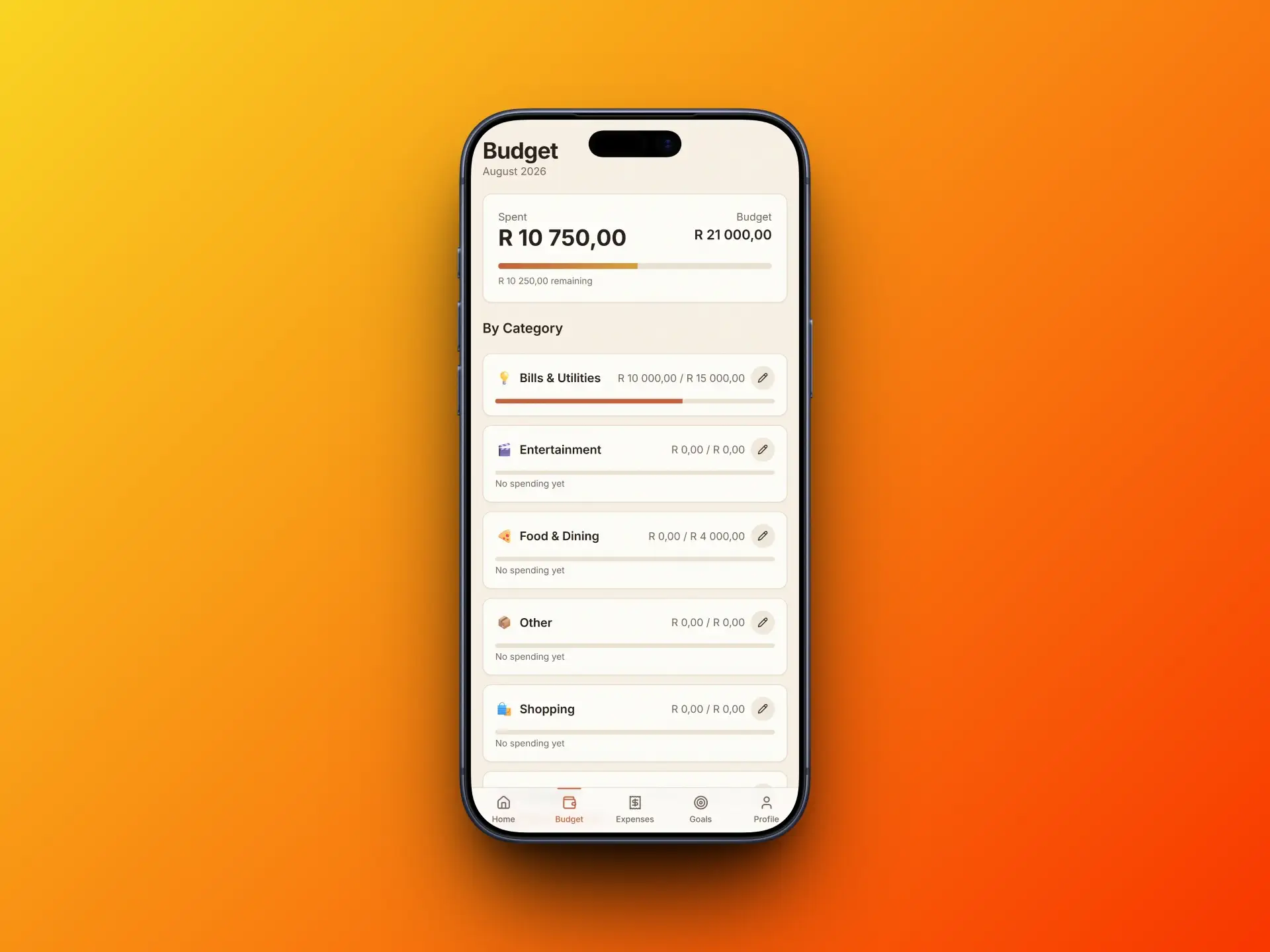
Crest budget screen with category breakdown
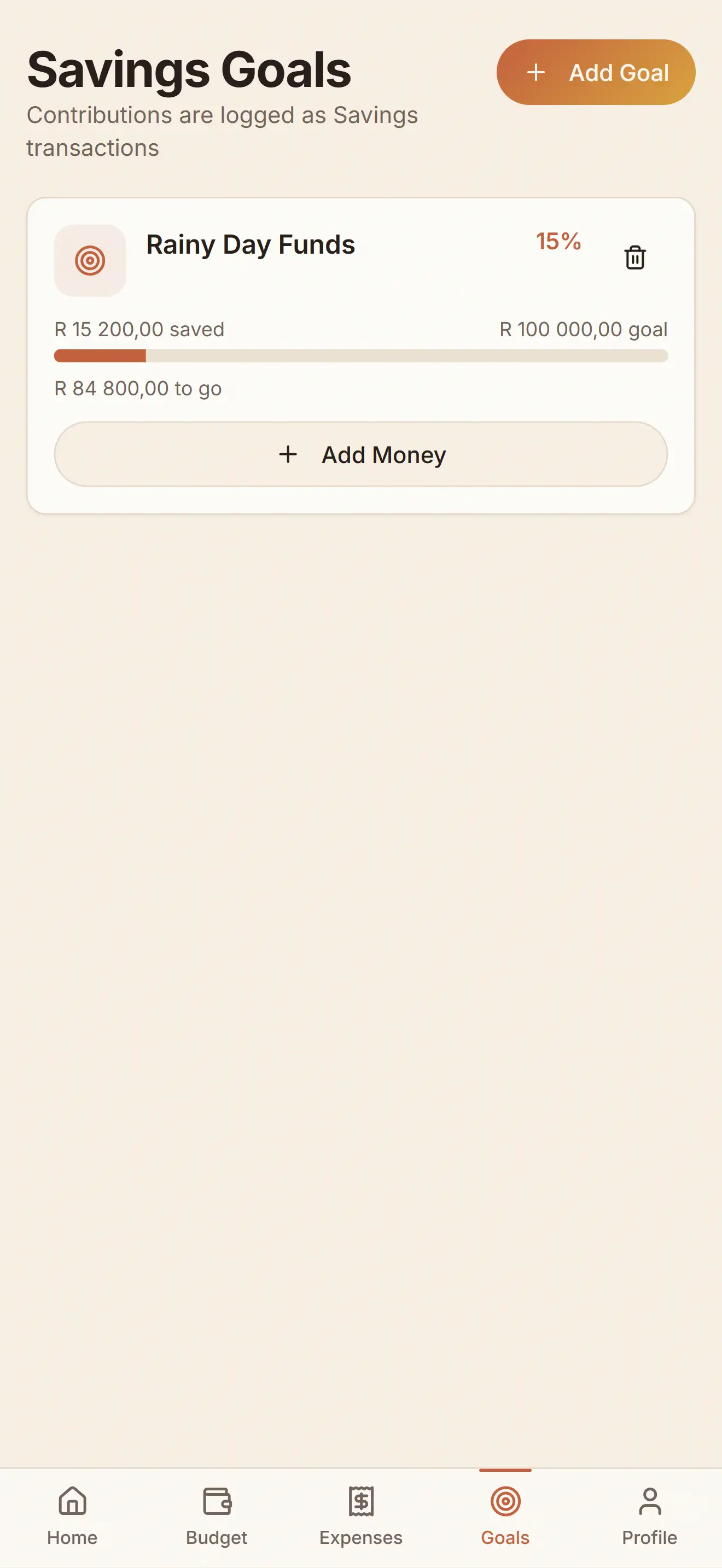
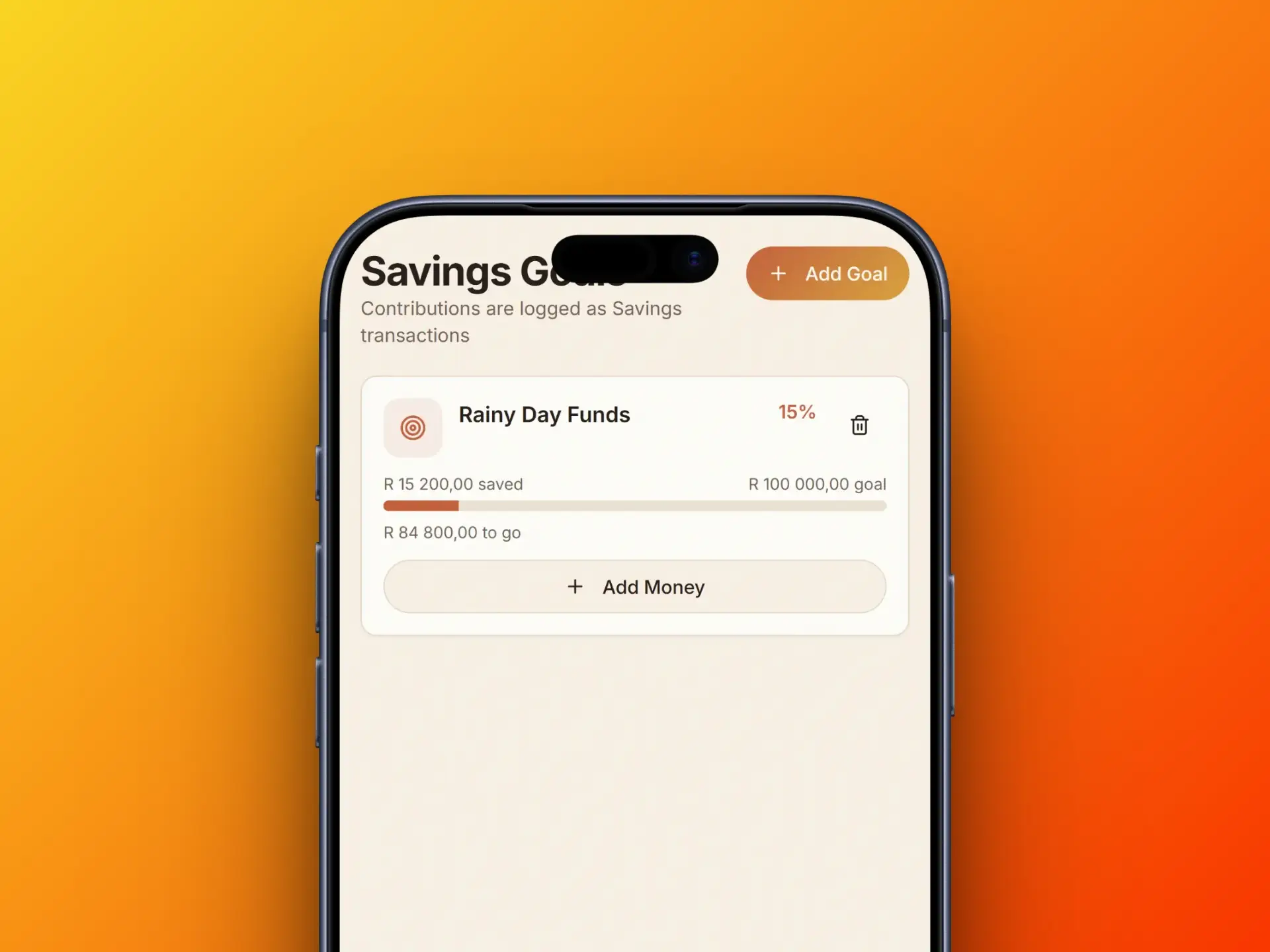
Crest savings screen

The Challenge

Most finance apps fail at the basics

Personal finance tools tend to fall into two camps: overpowered platforms built for accountants, or novelty apps that track expenses without offering real insight.

Users bounce between both and settle on neither. The core challenge was building something useful enough to stick, simple enough to start.

Too many features

Existing apps overwhelm users with options they never use.

No clear starting point

New users don't know where to begin or what to track first.

Inconsistent usage

People open the app once, feel lost, and never return.

Data without context

Numbers alone don't tell users what to do differently.
The Approach

Designing for daily habits, not feature lists

The product thinking started with a question: what's the minimum a person needs to feel in control of their money? Not the maximum, the minimum. I mapped out user journeys and found that most people only need three things daily: know their balance, log a purchase, and see if they're on track.

That insight drove every decision. Features like investment tracking, bill splitting, and subscription management were deliberately left out. Not because they aren't useful, but because adding them would dilute the core loop. Every screen had to justify its existence against a simple bar: does this help someone in under five seconds?

The result is a clarity-first interface. Large numbers, generous whitespace, and a muted color palette that lets the data breathe. No onboarding tours, no gamification badges, no social features. Just a fast, focused tool that respects the user's time.

Wireframes

The Screens

Dashboard

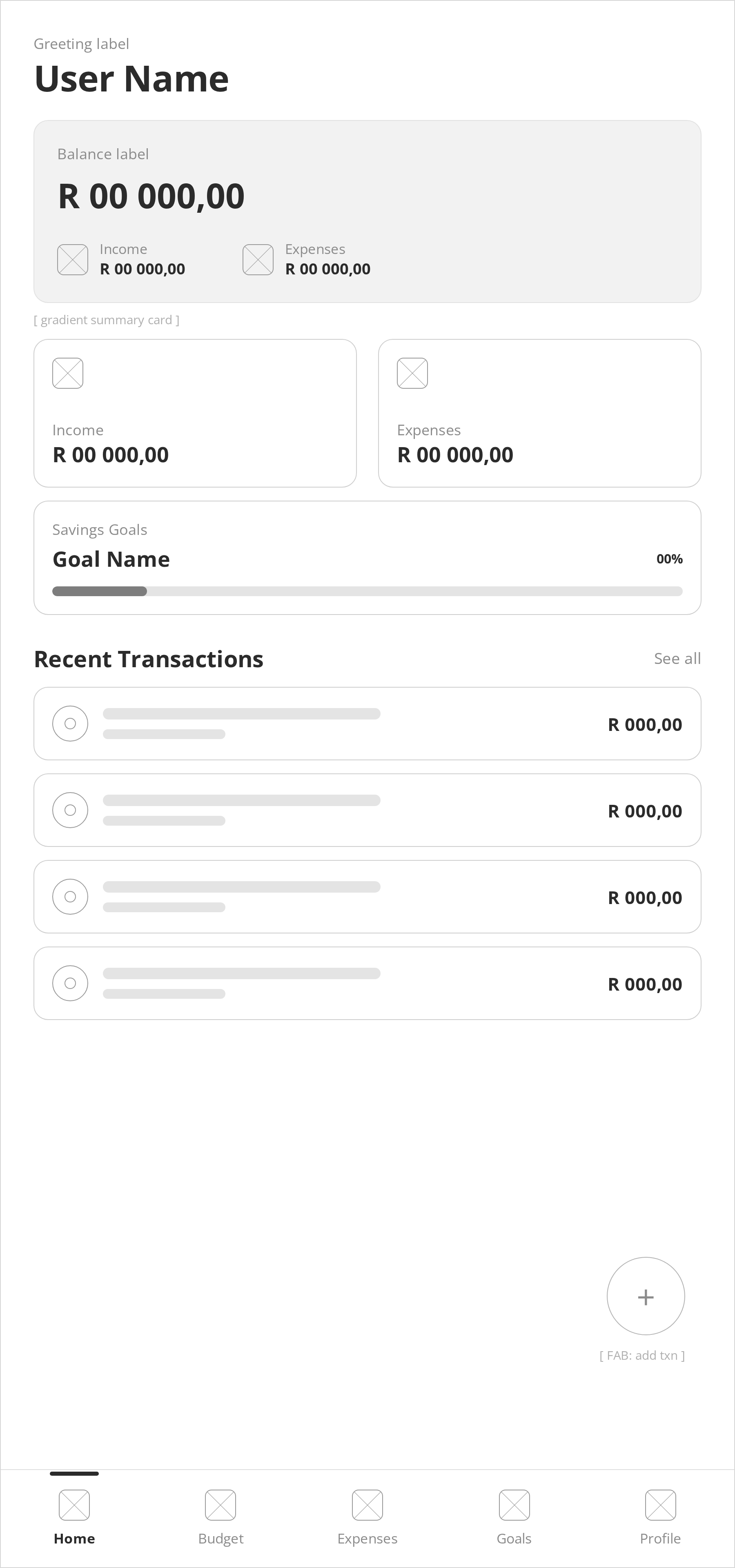
A single-glance layout built around balance, income vs. expenses, and recent activity. Large numbers and generous whitespace keep the focus on what matters instead of competing for attention.

Wireframe of the Crest dashboard showing balance, income versus expenses and recent activity
Budget

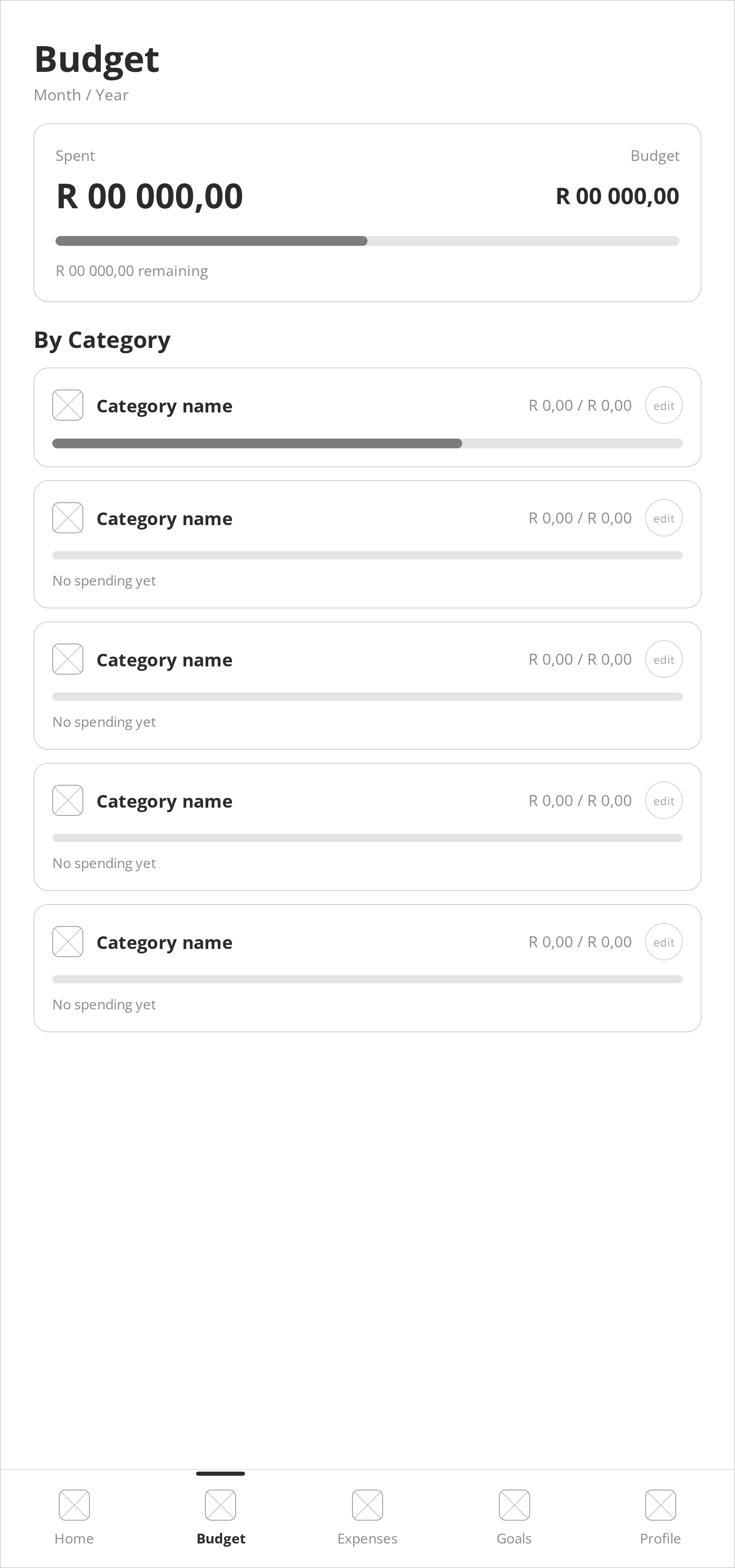
Spending broken down by category, each with its own limit and a progress bar showing how close the user is to it. No digging through reports to find out where the money went.

Wireframe of the Crest budget screen with spending categories and progress bars
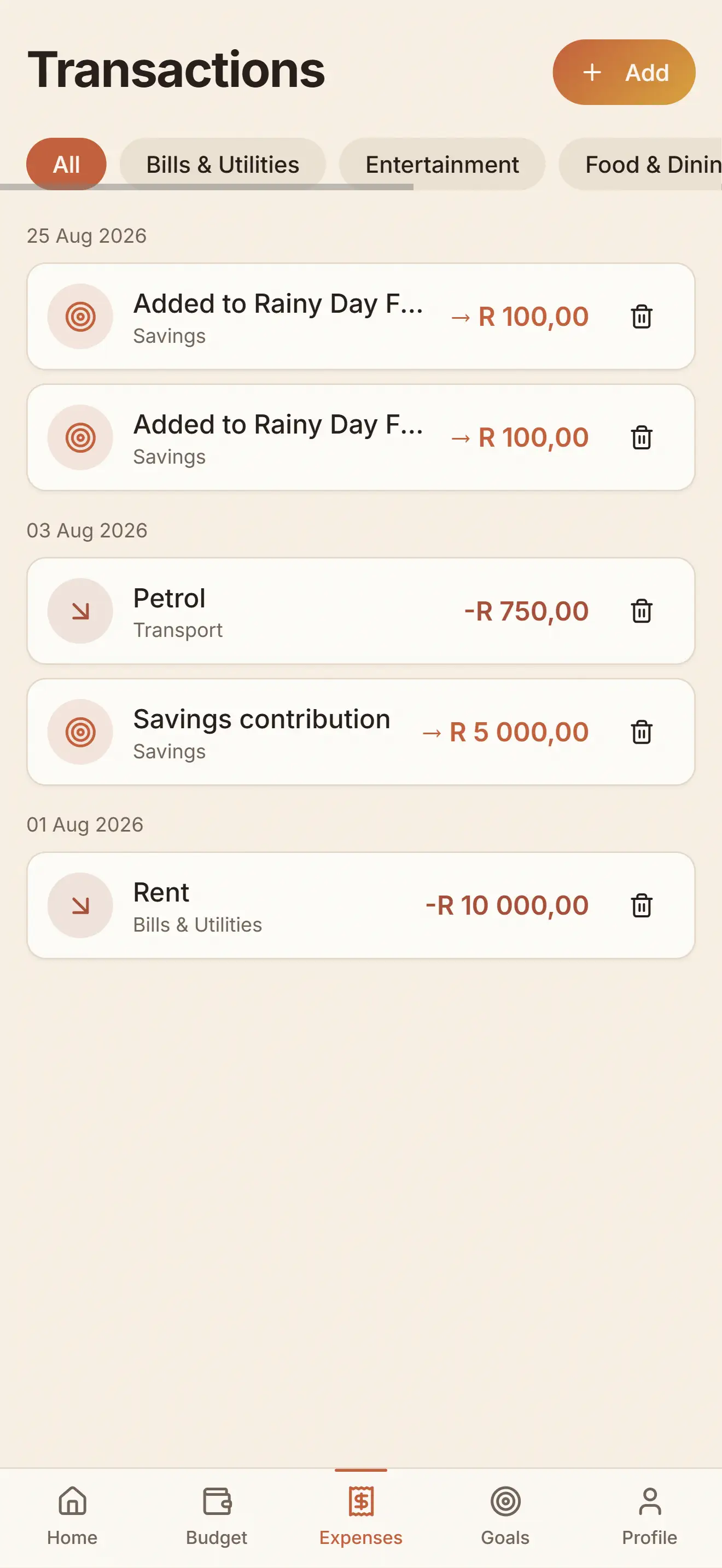
Transactions

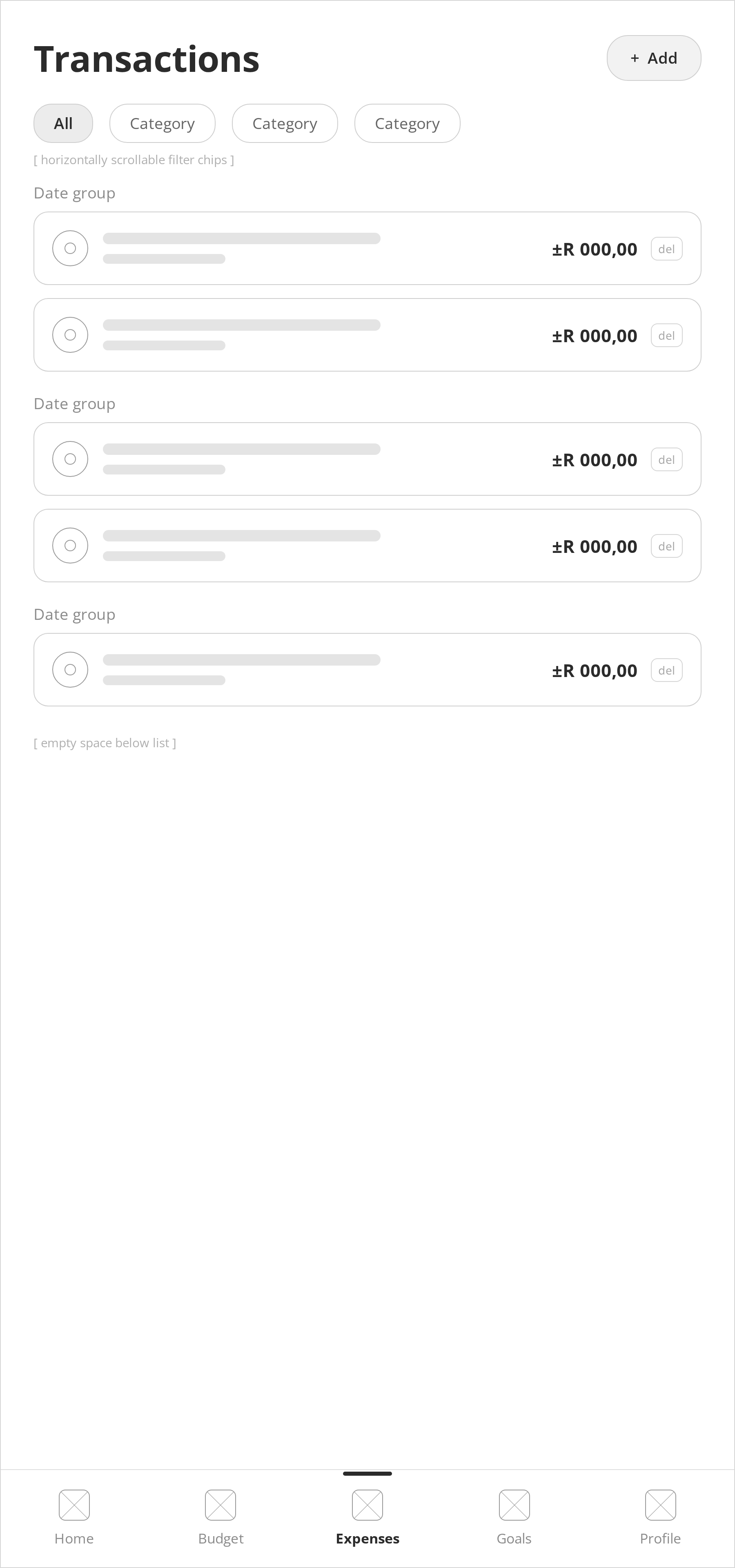
A searchable, filterable list of every transaction with automatic categorization. Each entry is scannable at a glance, so finding a specific purchase never means scrolling through everything.

Wireframe of the Crest transactions screen with a searchable, filterable list
Goals

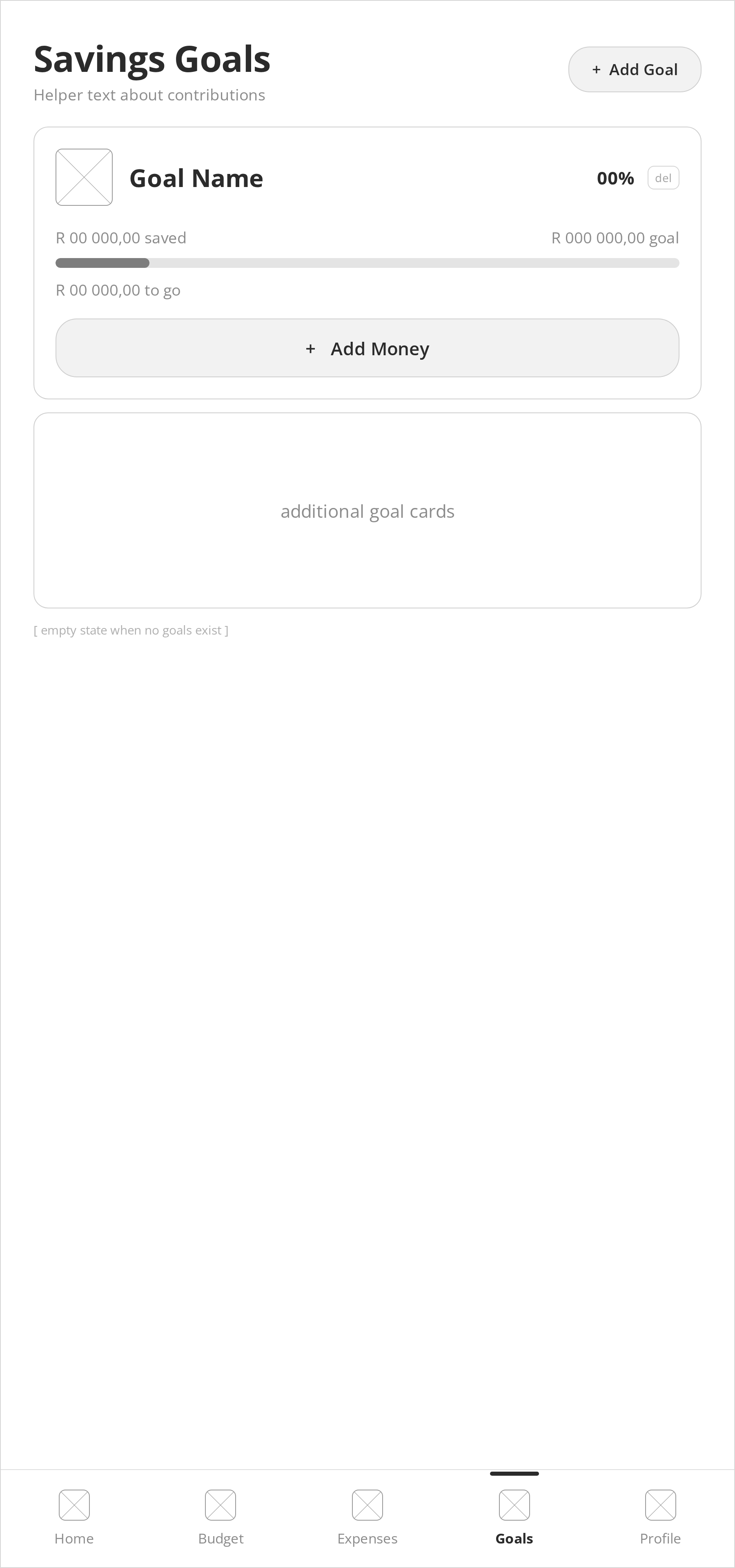
A dedicated space for savings targets, separate from day-to-day spending. Keeping goals visible on their own screen makes them feel like a destination, not an afterthought buried in a budget category.

Wireframe of the Crest goals screen showing savings targets
Profile

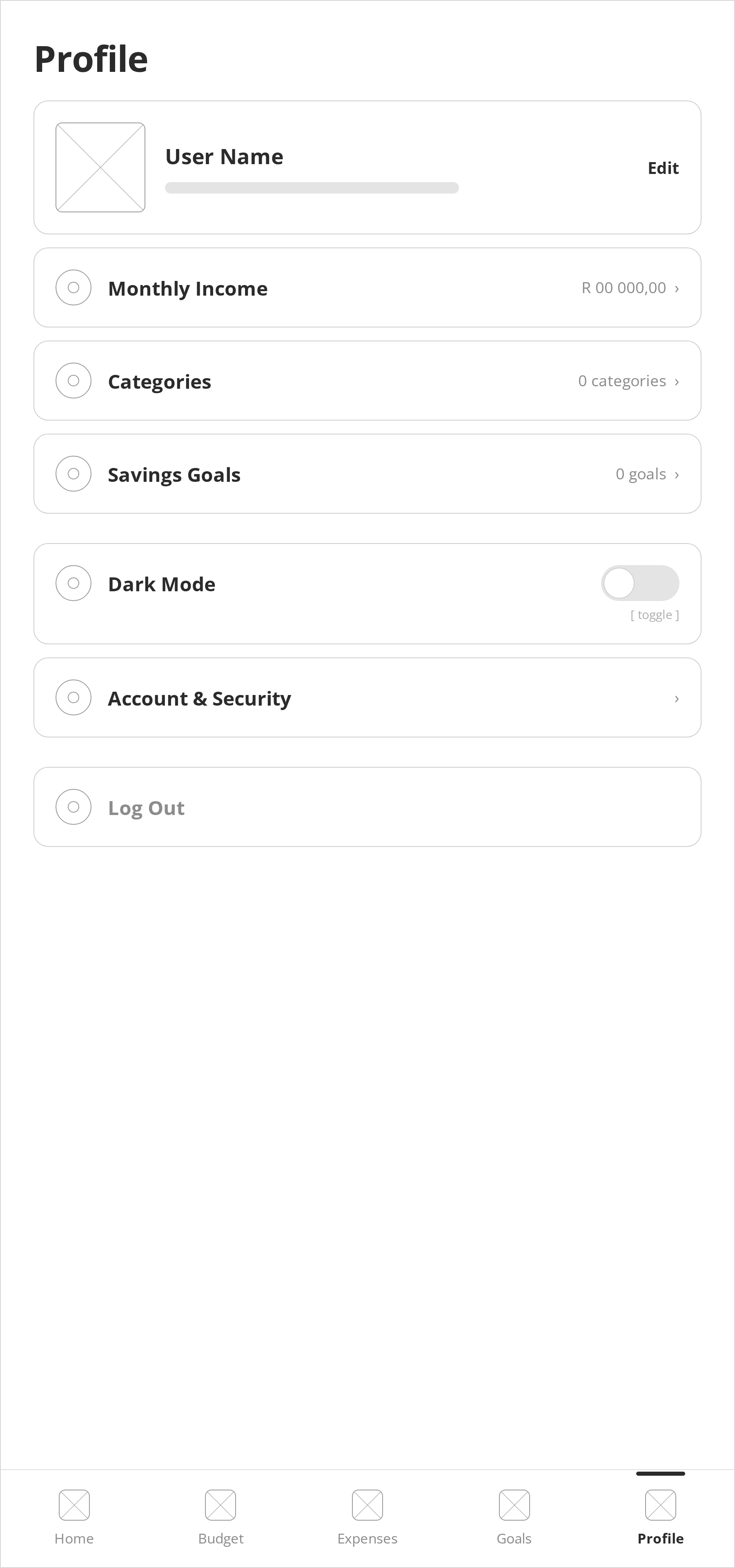
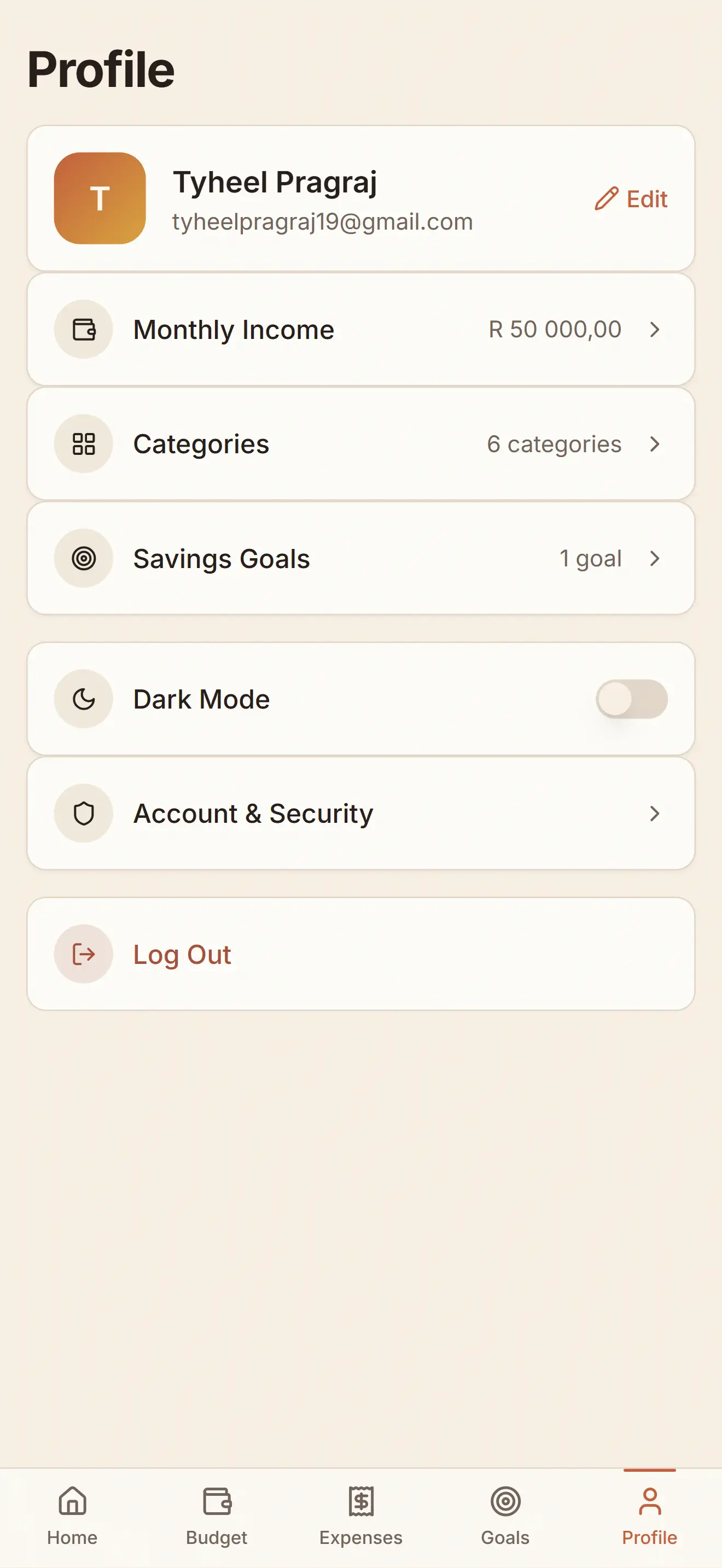
Account details, monthly income, and category management in one place. The settings a user touches occasionally, kept out of the way of the screens they touch daily.

Wireframe of the Crest profile screen with account details and category management

Core Features

What the app includes.

Expense Tracking

Log and categorize every transaction automatically.

Category Breakdown

See exactly where your money goes each month.

Budget Limits

Set spending caps per category with visual progress.

Savings Goals

Set a target and track progress toward it over time.

The Solution

The screens that bring it to life.

A clarity-first mobile app built around five core screens: Dashboard, Budget, Expenses, Goals, and Profile, with a quick add sheet for logging purchases.

Dashboard

A clean overview of account balance, income vs. expenses, and recent activity, everything at a glance without clutter.

Crest dashboard screen showing balance, income versus expenses and recent activity

Budget

Spending broken down by category, each with its own limit and a progress bar so it's obvious at a glance what still has room and what's close to its cap.

Crest budget screen with spending categories and progress bars

Transactions

A searchable, filterable list of every transaction with automatic categorization and clear visual hierarchy.

Crest transactions screen with a searchable list of categorized transactions

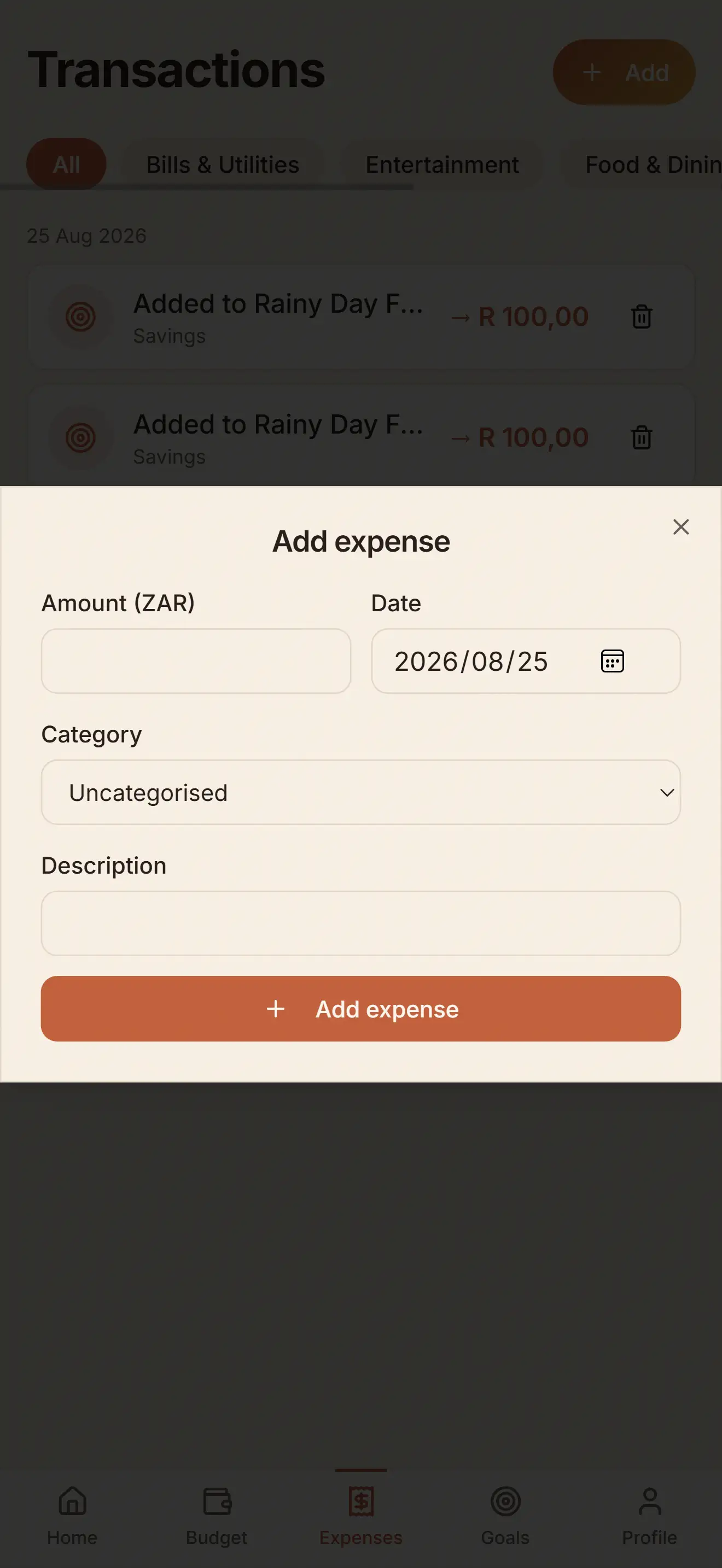
Add Expense

Logging a purchase opens as a sheet over the Transactions list, so the user never leaves the screen they were on. Amount, date, category, and a description, then one button to save. It's the action people repeat most, so it's kept quick and close.

Crest add expense sheet with amount, date, category and description fields

Goals

Savings targets tracked separately from day-to-day spending, so long-term progress stays visible instead of getting lost in the budget.

Crest savings goals screen showing progress toward each target

Profile

Monthly income, category management, and account settings in one place, kept out of the way of the screens used every day.

Crest profile screen with monthly income and category settings

The Outcome

Making money management stick

Crest is a concept so these are intended outcomes rather than measured ones. But every decision was made with a specific goal in mind. Someone using this app should find it easier to stay consistent, less likely to overspend without noticing, and more confident about where their money is going.

For an app like this, success isn't about the feature count. It's about whether someone reaches for it every single day without thinking twice.

Reflection

What I Learned

The biggest lesson was that simplicity is a feature, not a limitation. Every feature request during development was weighed against the same question: does this make the daily loop faster or slower? If slower, it didn't ship. That discipline was harder to maintain than any technical challenge.

I also learned that designing for behaviour beats designing for features. People don't want a powerful finance tool, they want to feel in control. Those are different problems with different solutions. The best design decisions came from observing what people actually do with their money, not what they say they want an app to do.