Case Study

Pawly

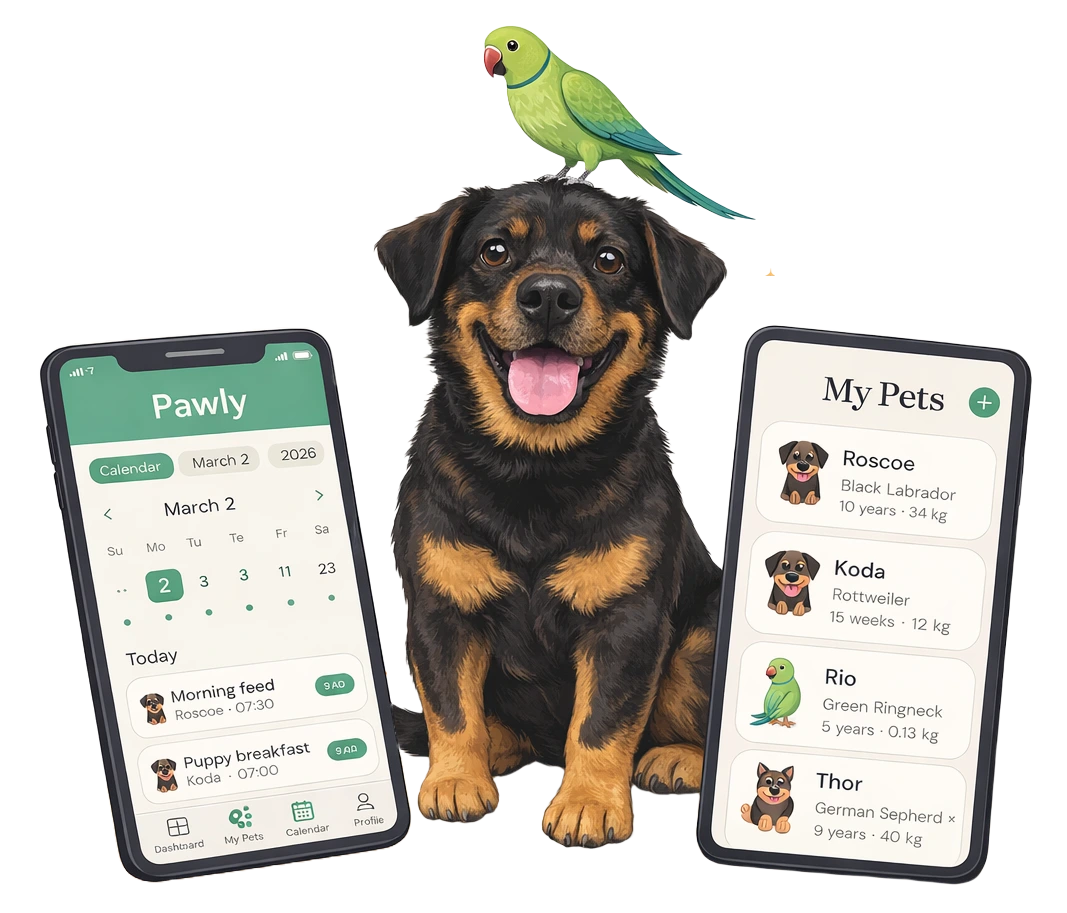
Pawly pet care app screens on a phone

A pet care tracker designed to help owners manage vaccinations, feeding schedules, medication, and growth milestones - all in one calm, intuitive place.

Role
UX Designer
Project Type
Mobile App
Year
2025
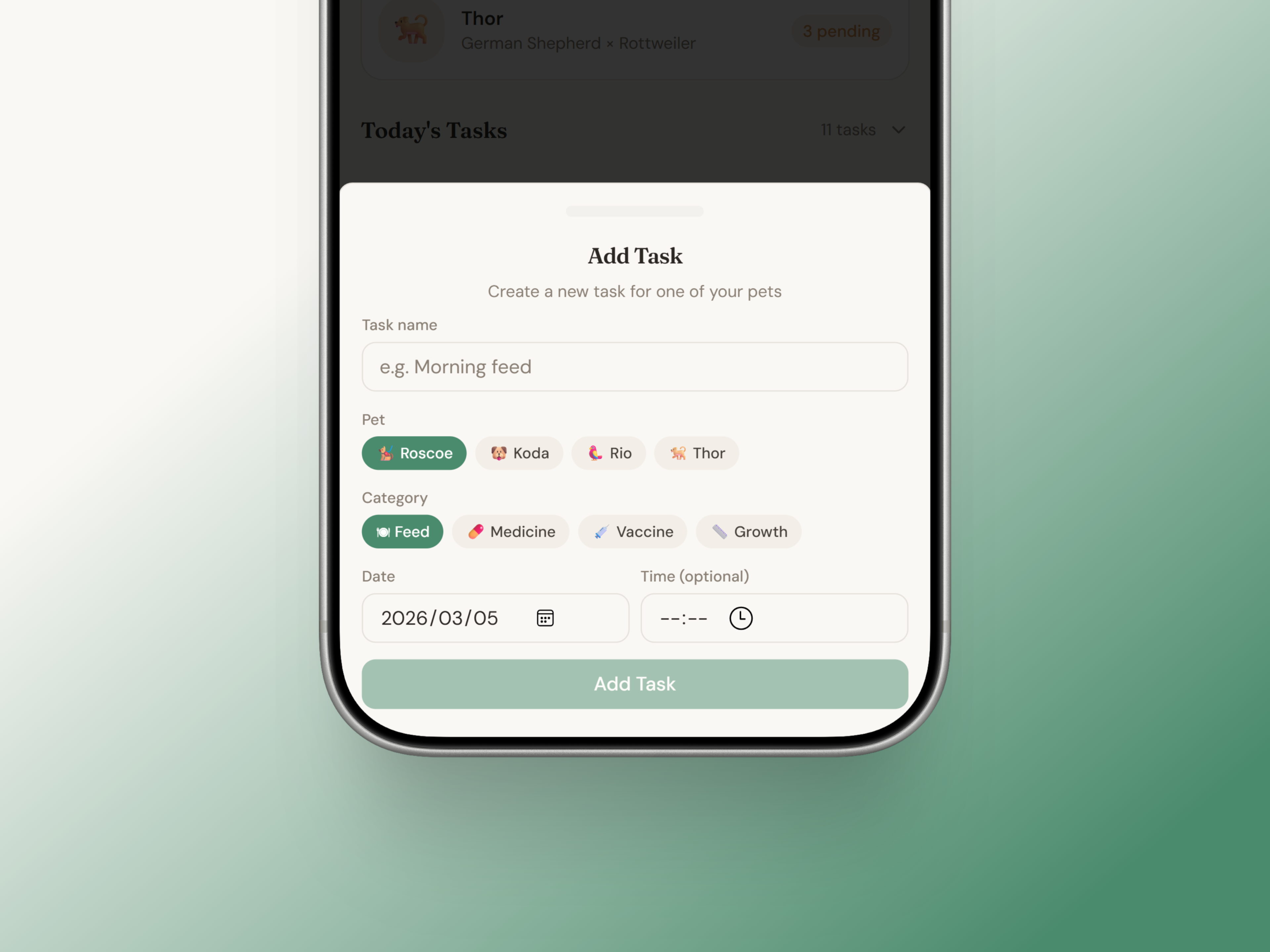
Pawly add task screen
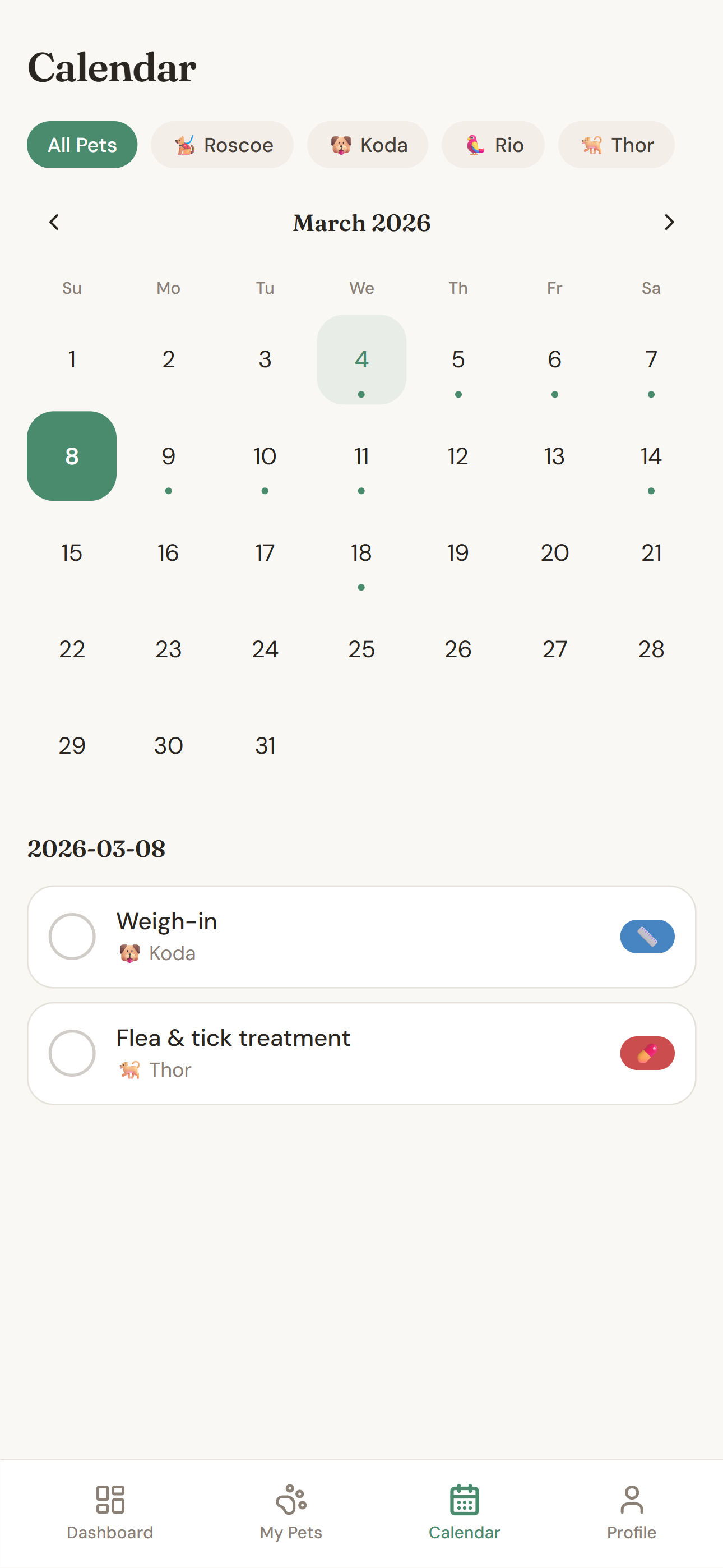
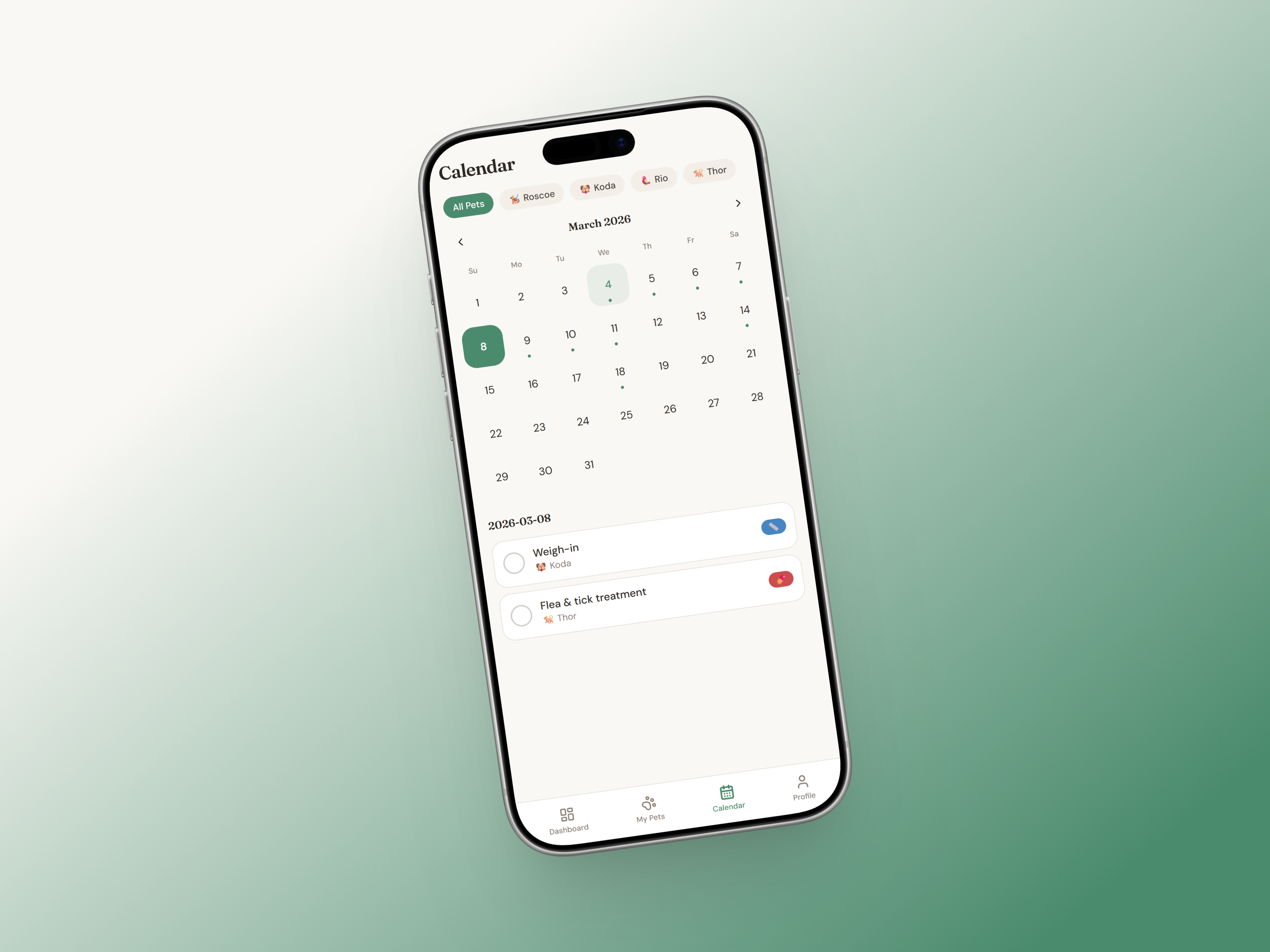
Pawly calendar screen
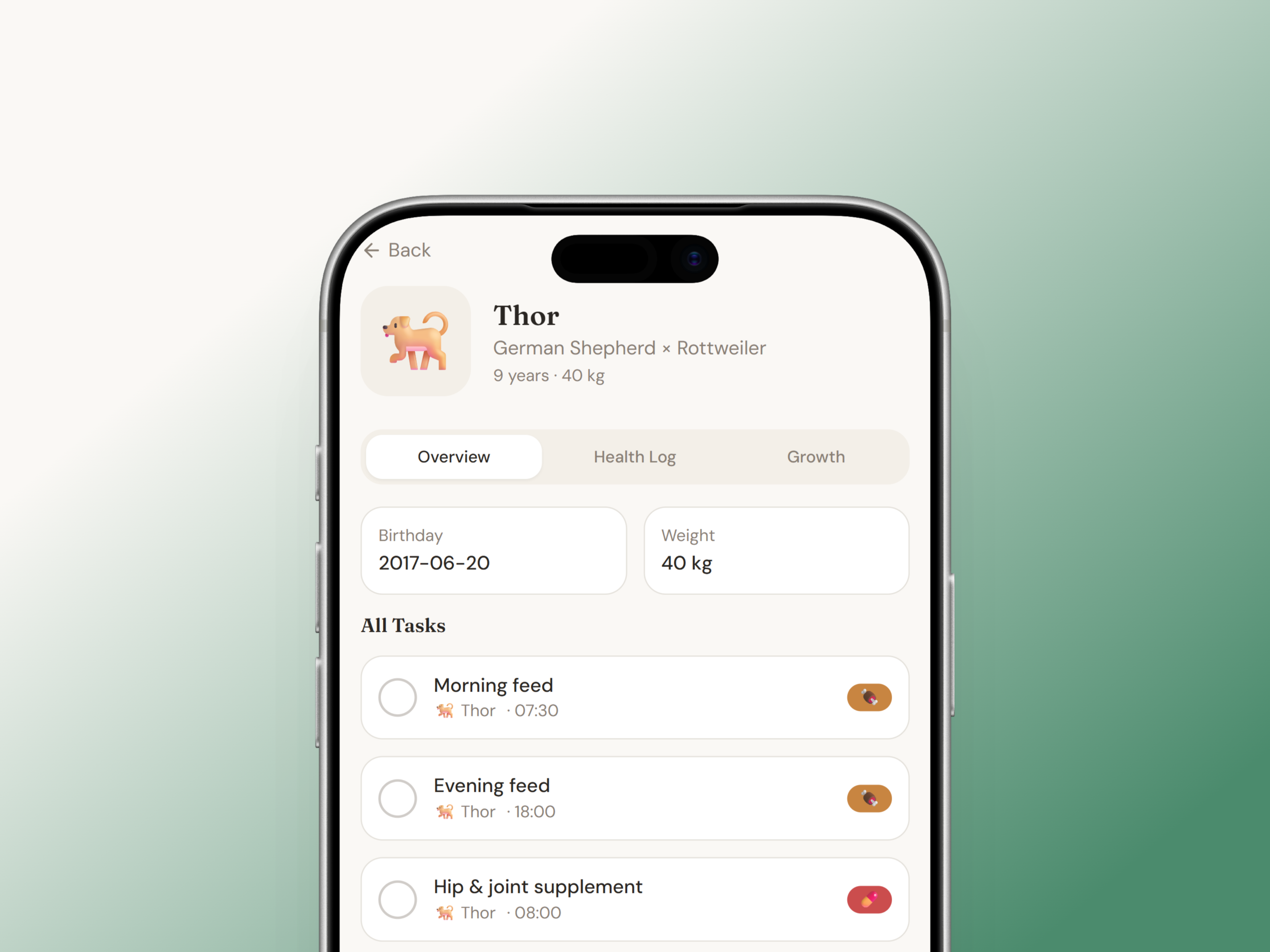
Pawly single pet profile screen

The Challenge

A real problem, hiding in plain sight.

Pet owners rely on scattered reminders, memory, or manual notes to manage their pet's care. This creates real consequences for their pets' health and their own peace of mind.

Poor tracking of growth and weight

Inconsistent feeding routines

Missed vaccinations or deworming dates

Difficulty accessing medical history
The Approach

A clarity-first design focused on calm and care.

With a clearer picture of what wasn't working elsewhere, I mapped out what Pawly actually needed to be. The brief I gave myself was simple: a focused tool for daily and medical pet care, nothing else.

I listed every feature I could think of and then cut anything that didn't directly serve a pet owner's core routine. Payments, social sharing, a marketplace, a community feed, all gone. What was left was a tight set of features that covered the real daily need: tasks, reminders, health records, and a calendar.

From there I worked through the structure in wireframes before touching visual design, so the layout decisions were grounded in logic rather than how things looked.

Wireframes

The Screens

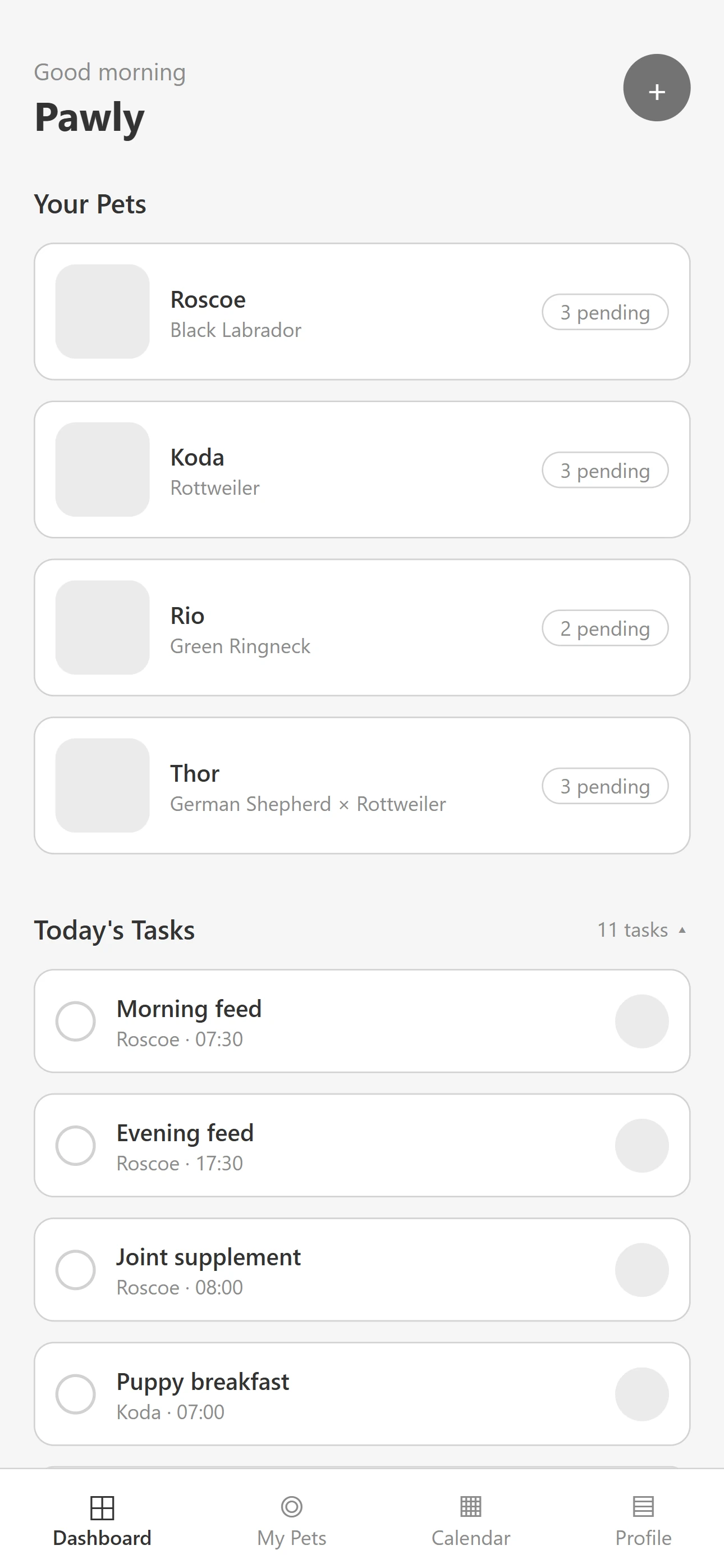
Dashboard

Built around one question: what needs attention today? Each pet shows how many tasks are still pending, and today's task list sits below with the pet and time on every item, ready to tick off. A quick-add button sits in the top corner. At this stage I was deciding priority and order, not styling.

Wireframe of the Pawly dashboard with pet cards showing pending task counts and a list of today's tasks
My Pets

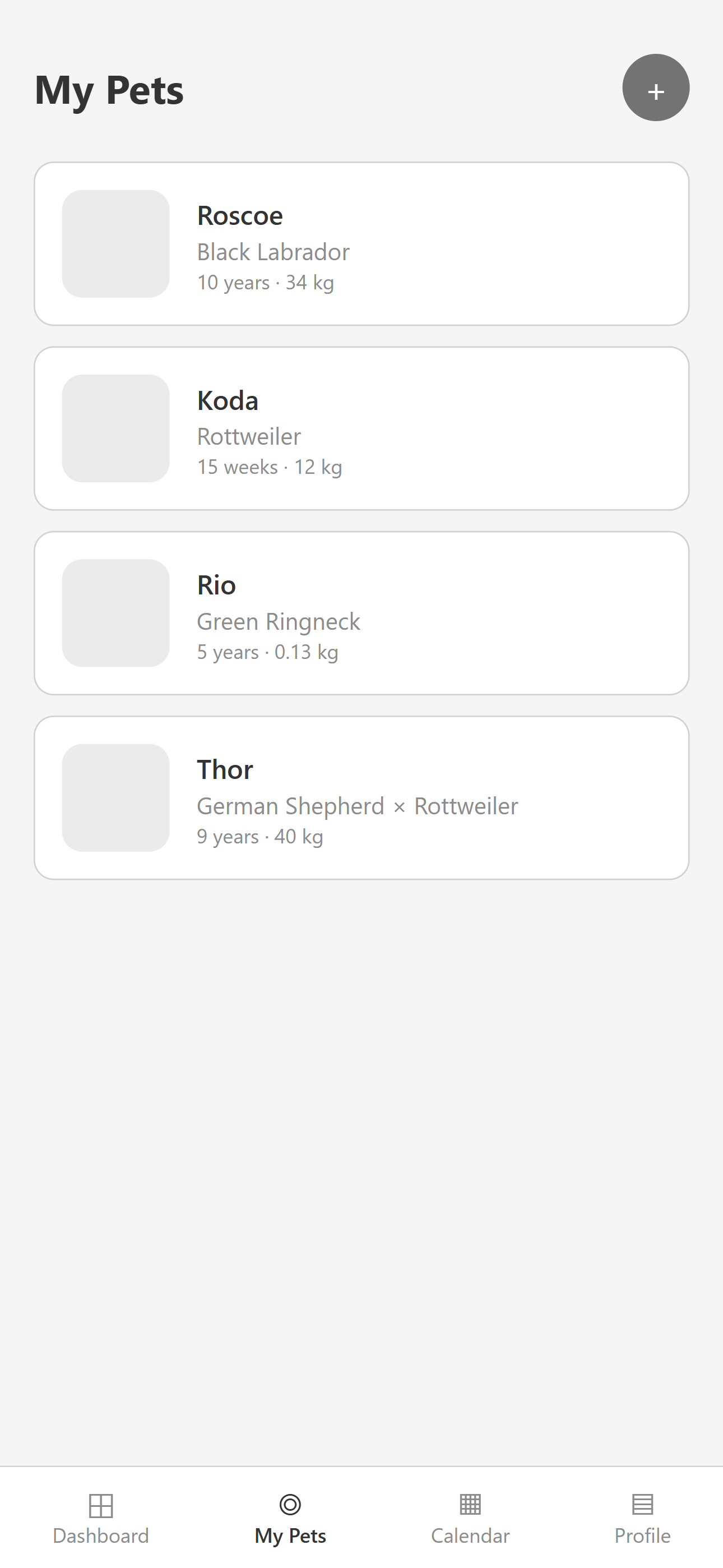
A simple list of every pet, each with a photo, breed, age, and weight so they're easy to tell apart at a glance. An add button in the corner covers new pets, and tapping a pet opens its own profile, where health logs and growth charts live.

Wireframe of the Pawly My Pets screen listing each pet with breed, age and weight
Calendar

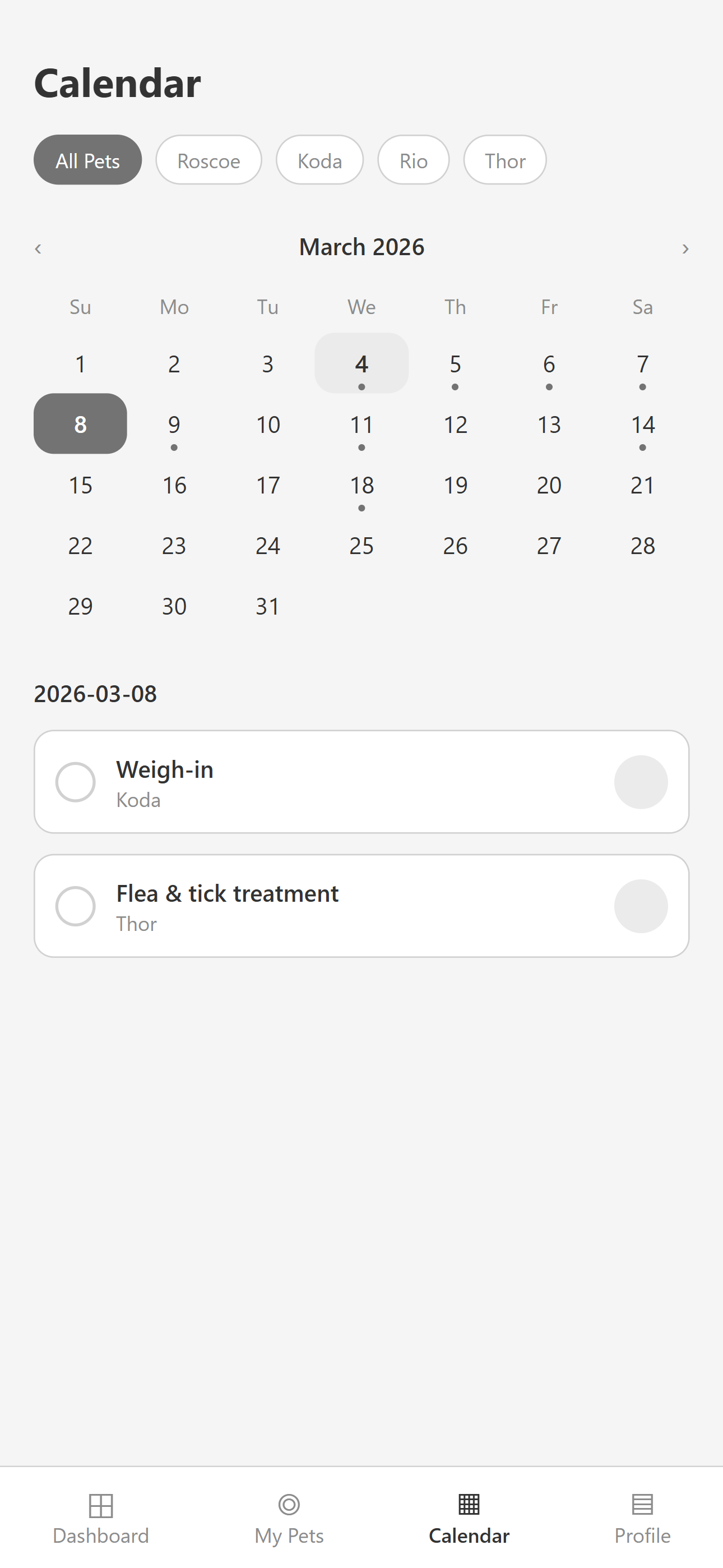
A monthly view with dots marking task days, so the shape of the month is visible straight away. Filter chips for each pet narrow it down, and tapping a day lists that day's tasks underneath.

Wireframe of the Pawly calendar with pet filter chips and the task list for the selected day

Key Features

What the app includes.

An app focused on task visibility and reminders - no payments, integrations, or social features.

Vaccination & Vet Reminders

Never miss an appointment again

Feeding Schedule

Track meals across all your pets

Medication Logging

Track doses for all pets

Growth & Weight

Monitor development over time

Health Records

Digital storage for vet documents

Push Notifications

Timely alerts for upcoming tasks

The Solution

The screens that bring it to life.

A warm, approachable mobile app with four primary screens: Dashboard, My Pets, Calendar, and Profile.

Dashboard

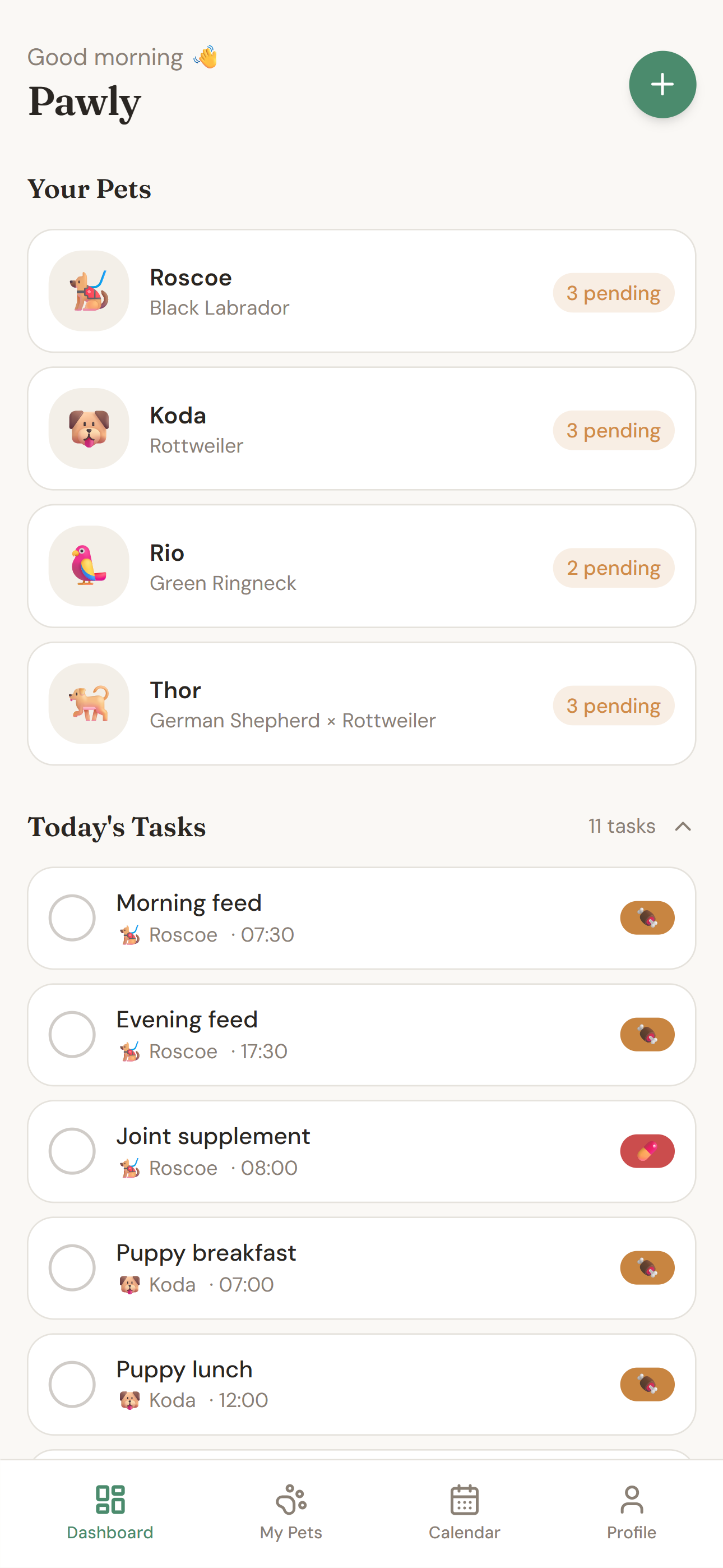
The home screen shows what needs attention today. With tasks grouped by pet, upcoming items for the week, and quick-add functionality.

Pawly dashboard screen showing today's tasks grouped by pet

My Pets

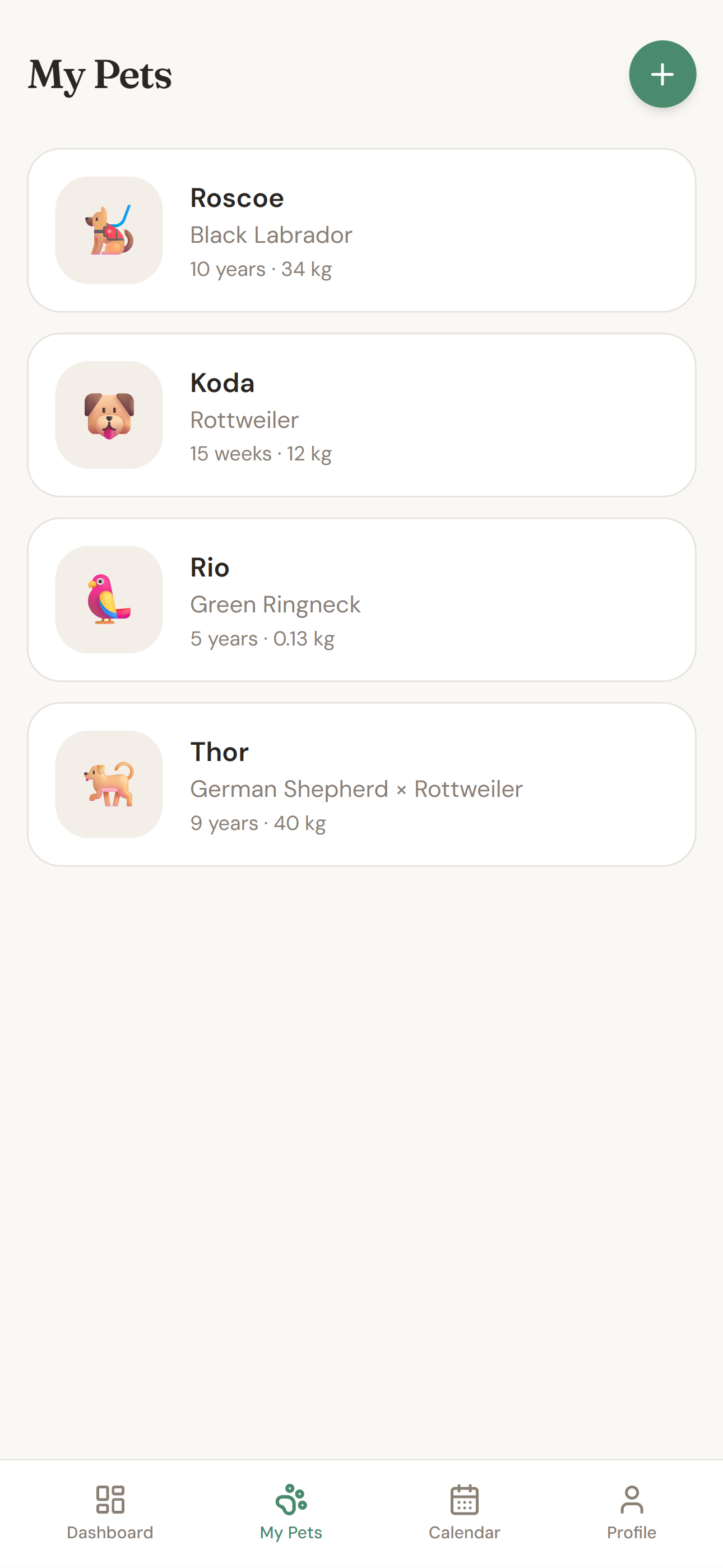
A clean list of all pets with photos, breed, age, and weight. Tapping a pet opens their detailed profile with health logs and growth charts.

Pawly My Pets screen with a list of pets

Calendar

A monthly calendar view with highlighted task days. Filtering by pet allows focused planning. Tapping a day reveals the full task list.

Pawly calendar screen with highlighted task days

Profile

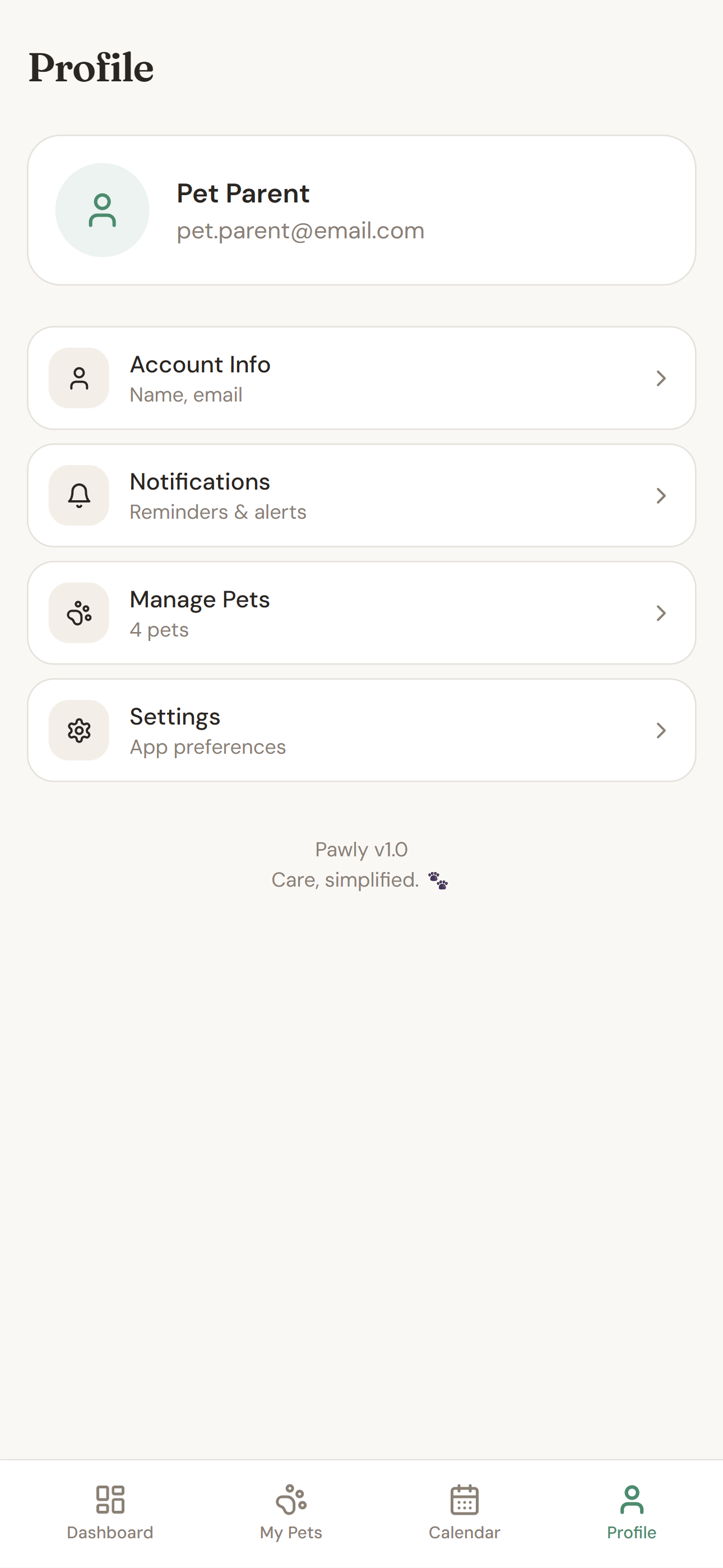
A personal hub for managing notification preferences, viewing pet summary cards, and adjusting app settings, all in one place.

Pawly profile screen with notification and app settings

The Outcome

A clearer, more confident care experience.

Pawly is a concept so these are intended outcomes rather than measured ones. But every decision was made with a specific goal in mind. A pet owner using this app should find it easier to stay consistent, less likely to miss a vet visit, and more confident that everything is in one place.

For an app like this, success isn't about the feature count. It's about whether someone reaches for it every single day without thinking twice.

Reflection

What I Learned

Simplifying this pet care tool into its most essential pieces made me reflect on my own experience caring for pets. Managing feeding schedules, vet visits, and daily routines can easily become overwhelming when life gets busy. Designing Pawly pushed me to focus on what genuinely makes caring for animals easier, rather than adding features that simply sound impressive.

By cutting scope early, shaping clearer user flows, and removing unnecessary complexity, I aimed to create an experience that feels calm and dependable, the kind of tool I would actually want to use to keep track of my own pets’ care. This project reminded me that thoughtful structure and restraint often say more about the quality of a product than a crowded list of features ever could.